AirPods Live Translation alternative
When AirPods Live Translation is not your setup.
Apple's feature is real and impressive. Chuchotage is a different path: a cross-platform live translation app focused on simple listening, headphones, and app-audio routes where platforms allow them.
Apple requirementSupported AirPods, iPhone 15 Pro or later, iOS 26 or later, Apple Intelligence, Translate app, latest firmware, and downloaded languages.
Chuchotage angleA separate app for iPhone, iPad, Mac, Android work, and Windows companion work, with clear limits per platform.
ToneThis is a comparison for fit, not an attack on Apple's built-in feature.
What it does
What it does
Choose Chuchotage if you want a dedicated live speech translation app with ordinary headphone output, simple controls, and desktop/app-audio paths where the operating system allows them.
Choose Apple's AirPods Live Translation when you have the supported Apple hardware/software stack and want Apple's native, on-iPhone processed conversation flow.
Screenshots
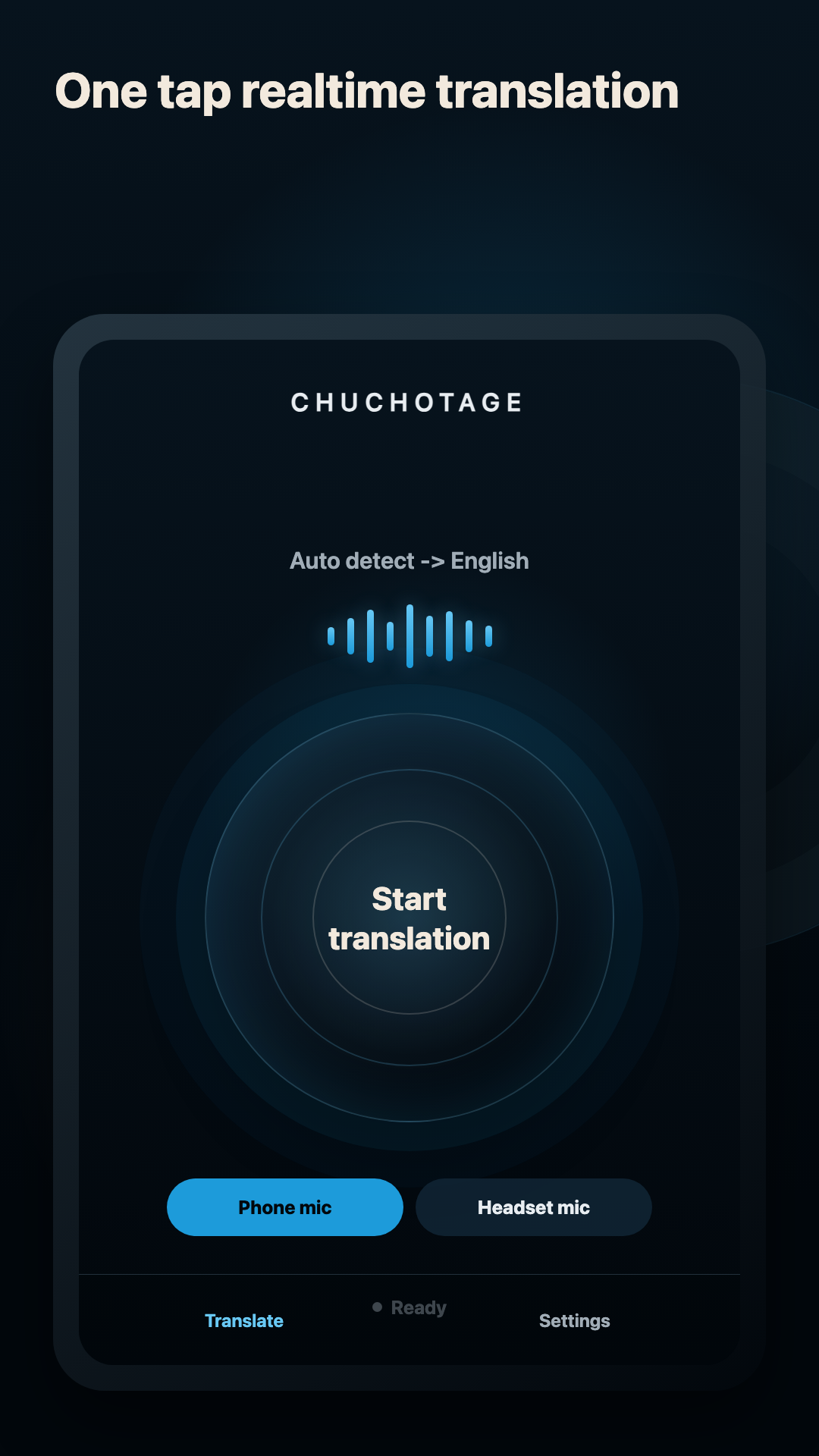
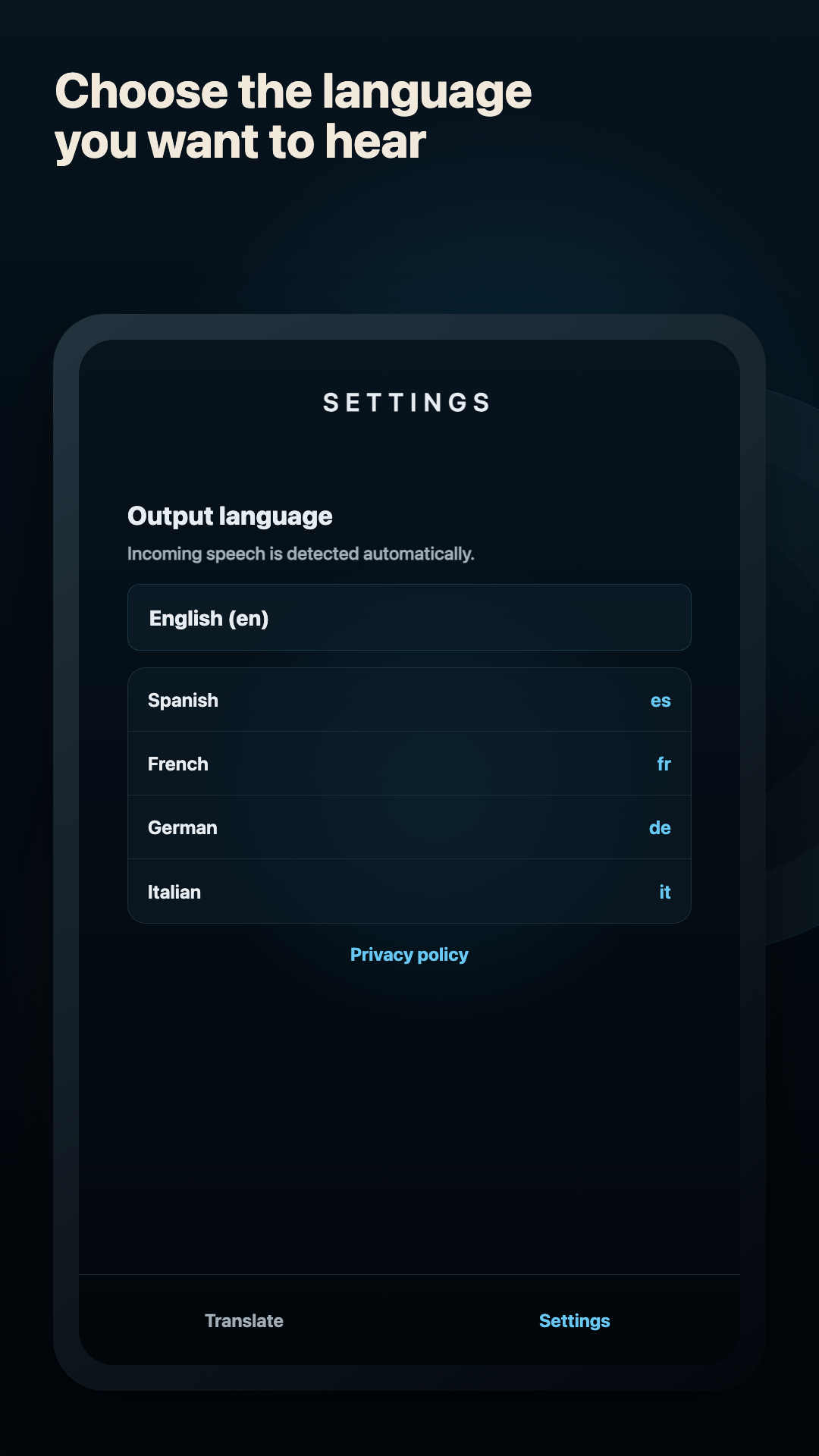
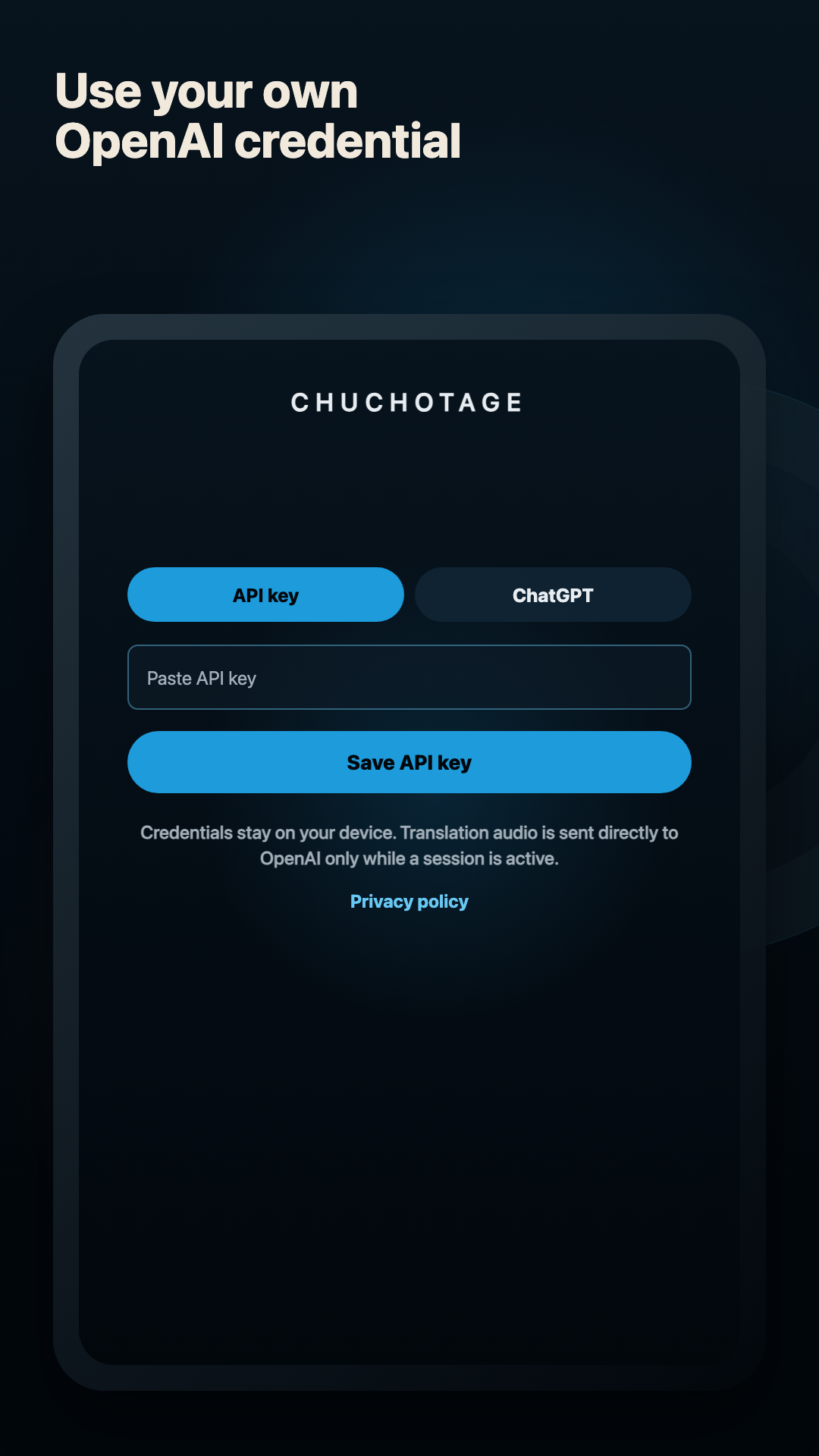
Current app screens, not mockups.
Chuchotage is intentionally plain: a start control, automatic source detection, output-language choice, and local credential setup.
Platforms
Supported platforms today.
iPhone and iPad
Public on the App Store. Current iOS/iPadOS use is microphone-first with translated playback; same-device app audio is not shipped yet.
macOS
Mac download is listed on the site. The Mac app is built for playback-audio translation with macOS system-audio permission on macOS 14.2+.
Android
Public on Google Play. The native Android app supports Phone mic, Headset mic, and Device audio on Android 10+ where Android permits playback capture.
Windows
The Windows companion captures selected Windows playback audio and plays translated audio to a selected output device. A preview Windows zip is available on the download page.
Audio sources
Headphones, mics, and app audio.
Phone or built-in mic
Good for nearby speech, rooms, travel counters, and in-person conversations. Headphones still help keep translated audio out of the mic.
Headset or earbud mic
Useful in noisy rooms. If a headset mic is selected and unavailable, Chuchotage should fail clearly instead of silently using the wrong mic.
Device or app audio
Available only where the platform allows it: Android playback capture for eligible apps, Mac playback capture on supported macOS, and Windows playback capture in the companion.
Headphones and earbuds
Recommended for private listening and feedback reduction. On Windows, separate source and translated playback devices are still the cleanest no-admin setup.
Comparison
Factual Apple comparison
Apple Support says Live Translation with AirPods works with AirPods 4 with Active Noise Cancellation, AirPods Pro 2 and later, or AirPods Max 2 with latest firmware when paired to an Apple Intelligence-enabled iPhone running iOS 26 or later.
Apple also says you need iPhone 15 Pro or later, Apple's Translate app, and downloaded language models for the language being spoken and the language you want to translate to.
Chuchotage does not claim to be Apple's on-device AirPods feature. It uses its own app flow and OpenAI Realtime Translation while a session is active.
Source: Apple Support: Use Live Translation with your AirPods.
Limits
What does not work yet.
Chuchotage is not offline and does not process translation entirely on iPhone.
iOS/iPadOS same-device app audio is not shipped yet.
Live translation can be inaccurate; important information should be checked.
The public Windows download is a preview zip, not a polished Microsoft Store installer yet.
Privacy shape
Personal translation without an ad or analytics layer.
No ads and no analytics SDKs in the app.
Credentials and app preferences are stored on the device using the platform secure-storage path.
In Chuchotage account mode, selected audio and translation settings pass through the Chuchotage relay to OpenAI while translation is active; Chuchotage does not store audio or transcript content. Personal API-key mode connects directly to OpenAI.
Chuchotage does not run a hosted audio relay and does not keep transcript history.
Related pages
Pick the route that matches what you need to translate.
Download